
Quick Start overview
The Quick Start Guide provides a practical pathway for getting started in Datagrasp. It is designed to help you move through the platform in the order that creates the most value: first setting up your workspace, then organizing vendors and policies, completing assessments, tracking risks, and finally monitoring and sharing your progress.
By following these steps, you can:
- Organize your compliance program
- Identify and track risks
- Upload supporting evidence
- Monitor progress across frameworks
- Share your compliance posture with clients, partners, and stakeholders
1. Set Up Your Workspace
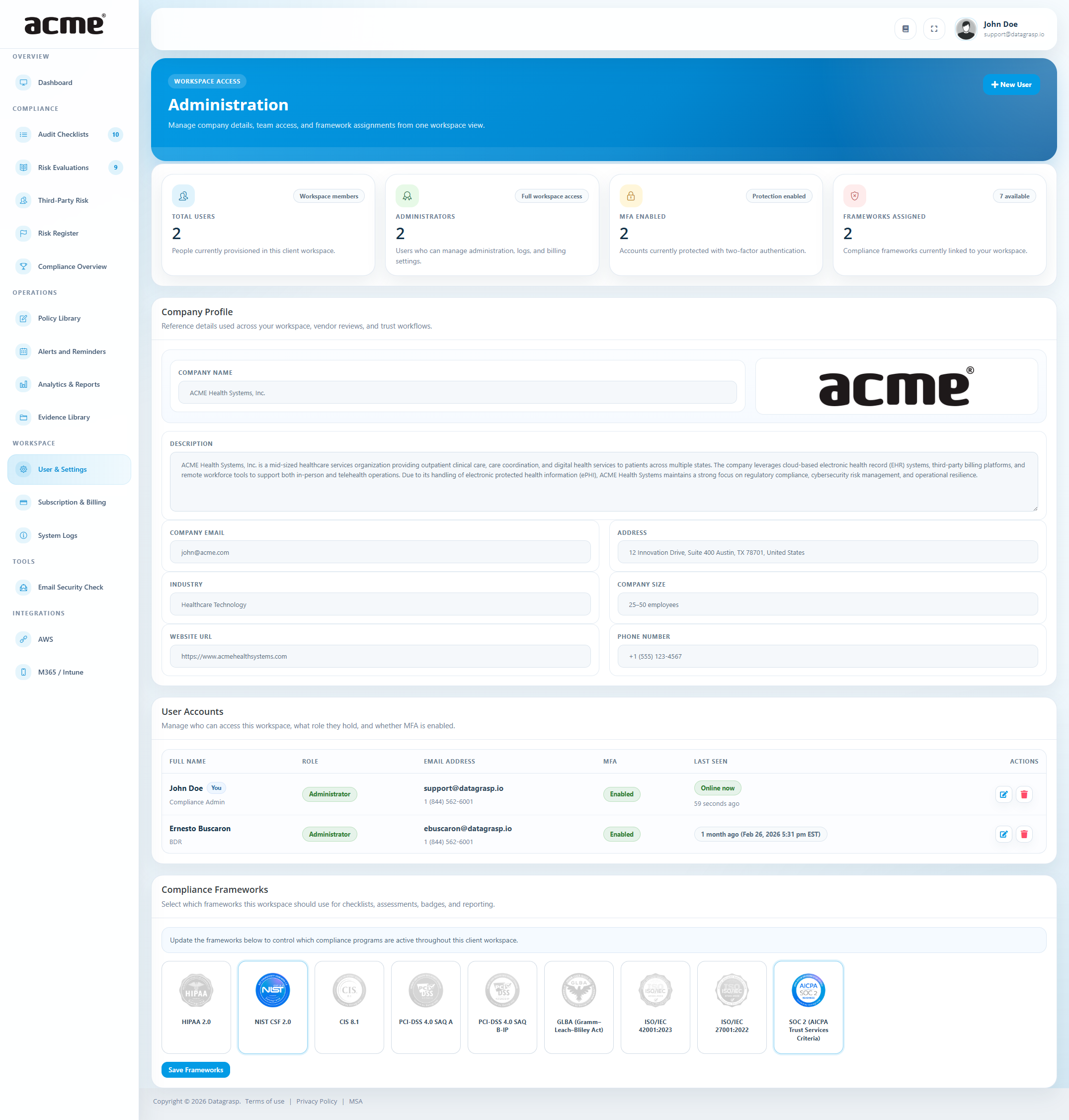
Start by preparing your Datagrasp workspace. This ensures the right people have access and that your organization is working against the correct compliance frameworks from the beginning.
Activities
- Invite users to your workspace
- Select the compliance frameworks you want to follow, such as HIPAA, NIST, CIS, PCI-DSS, GLBA, ISO/IEC 27001, ISO/IEC 42001, CMMC Level 1 SAR, or NDAA Section 889
Choosing frameworks early helps structure the rest of your work in Datagrasp. Your selected frameworks influence what appears in Control Assurance, progress views, and reports.
Build your asset register: Open Operations → Inventory to add a few items, import a CSV or local Nmap report, or enable a connected source. The Inventory guide includes templates and freshness rules.
2. Add Third-Party Vendors
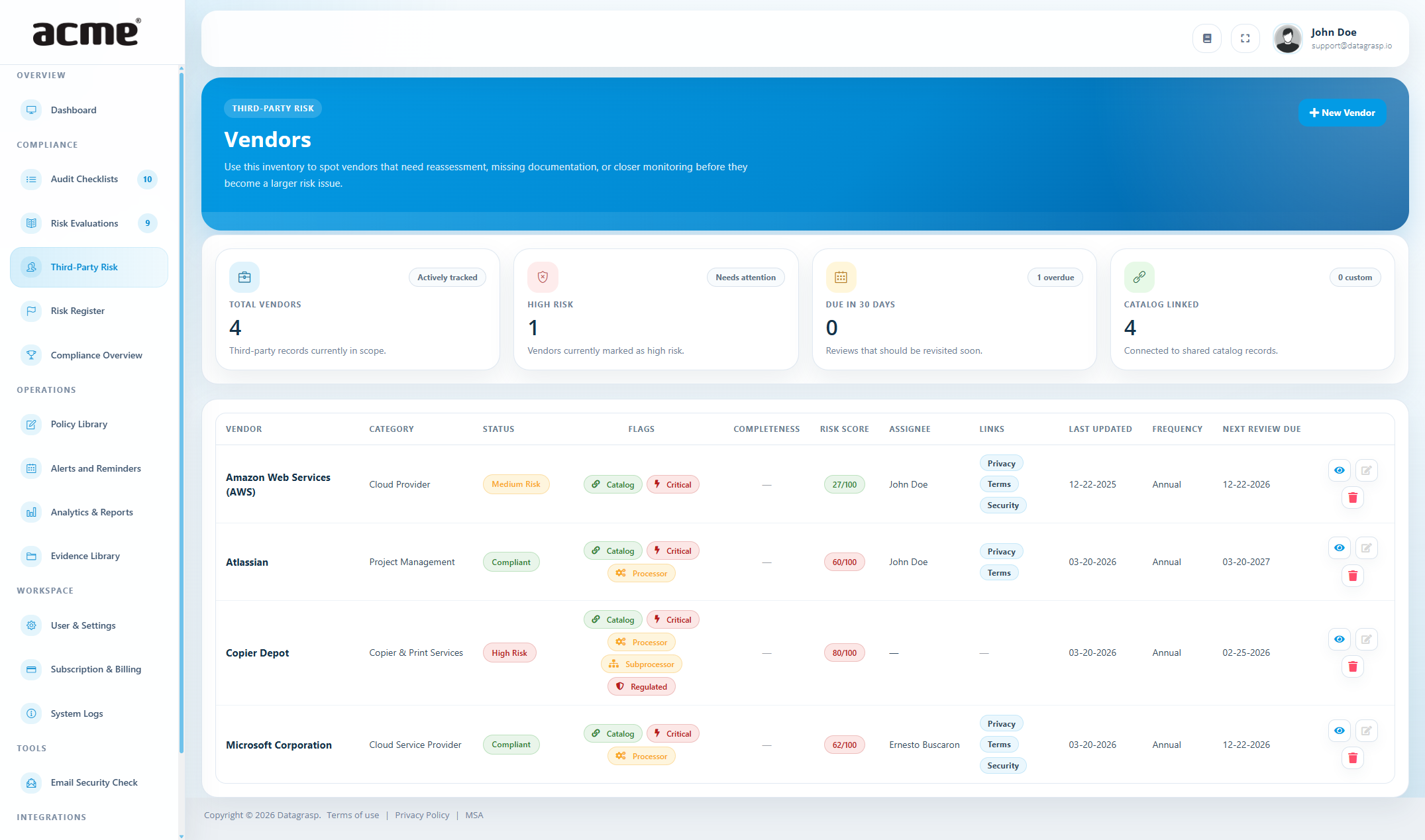
Third-party risk is an important part of any compliance program. Use Datagrasp to keep all vendors in one place and document the services they provide to your organization.
Activities
- Add vendors such as EHR providers, billing companies, IT providers, cloud services, and other partners
- Include contact information and important links such as privacy, security, or terms pages
- Upload vendor documentation and supporting evidence
- Send questionnaires when needed
Maintaining your vendor list from the start gives you a clearer picture of your third-party exposure and helps you organize external compliance evidence in one place.
3. Set Up Your Policies
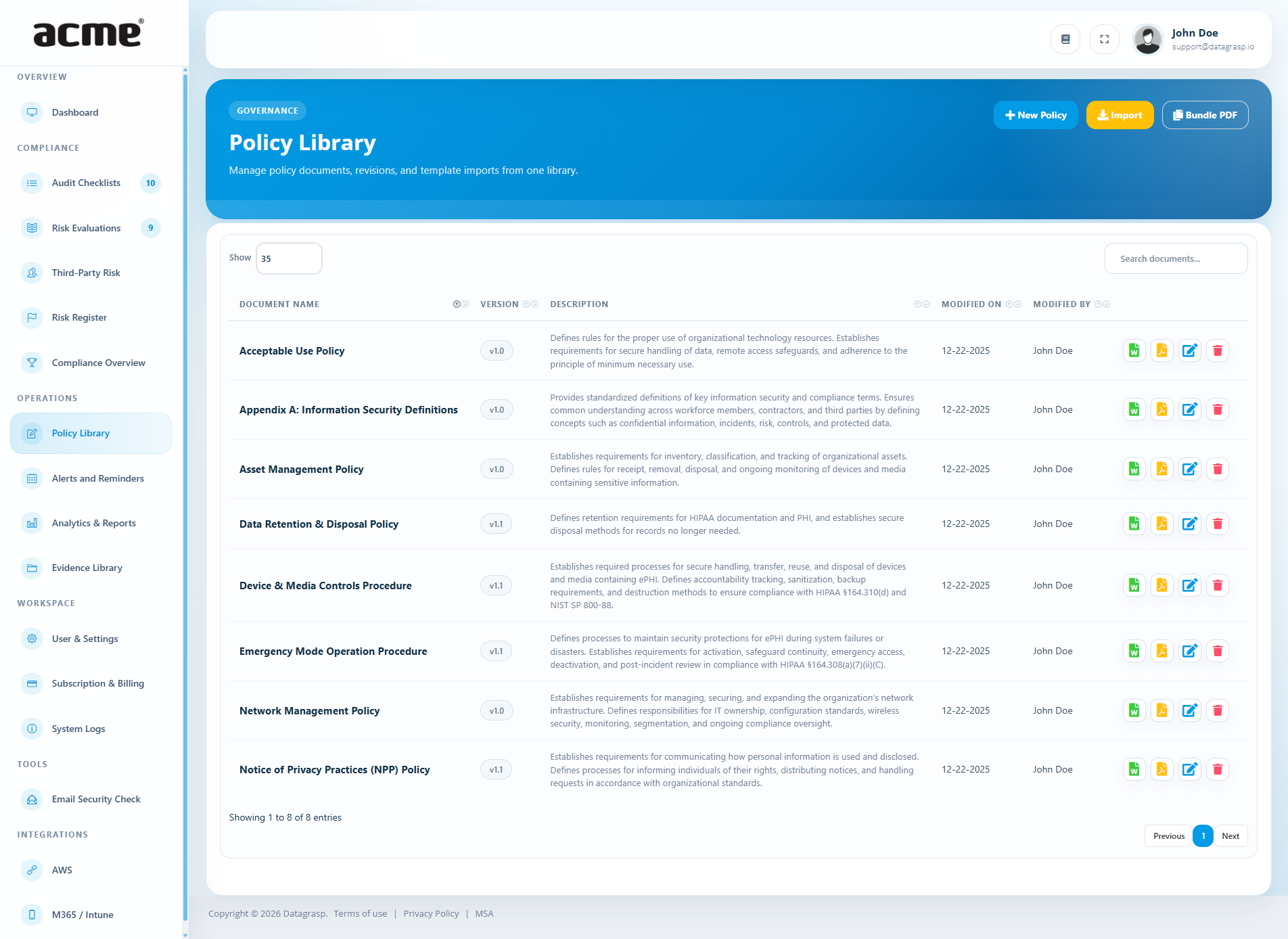
Policies are a foundational part of your compliance program. Datagrasp gives you a central place to upload, create, and manage the documents that support your security and compliance efforts.
Activities
- Upload your existing policies, or
- Use templates from the Policy Library to get started
- Update your policies so they reflect your organization’s actual practices and requirements
Common starting points include policies related to access control, incident response, data security, acceptable use, and risk management.
4. Complete Control Assurance
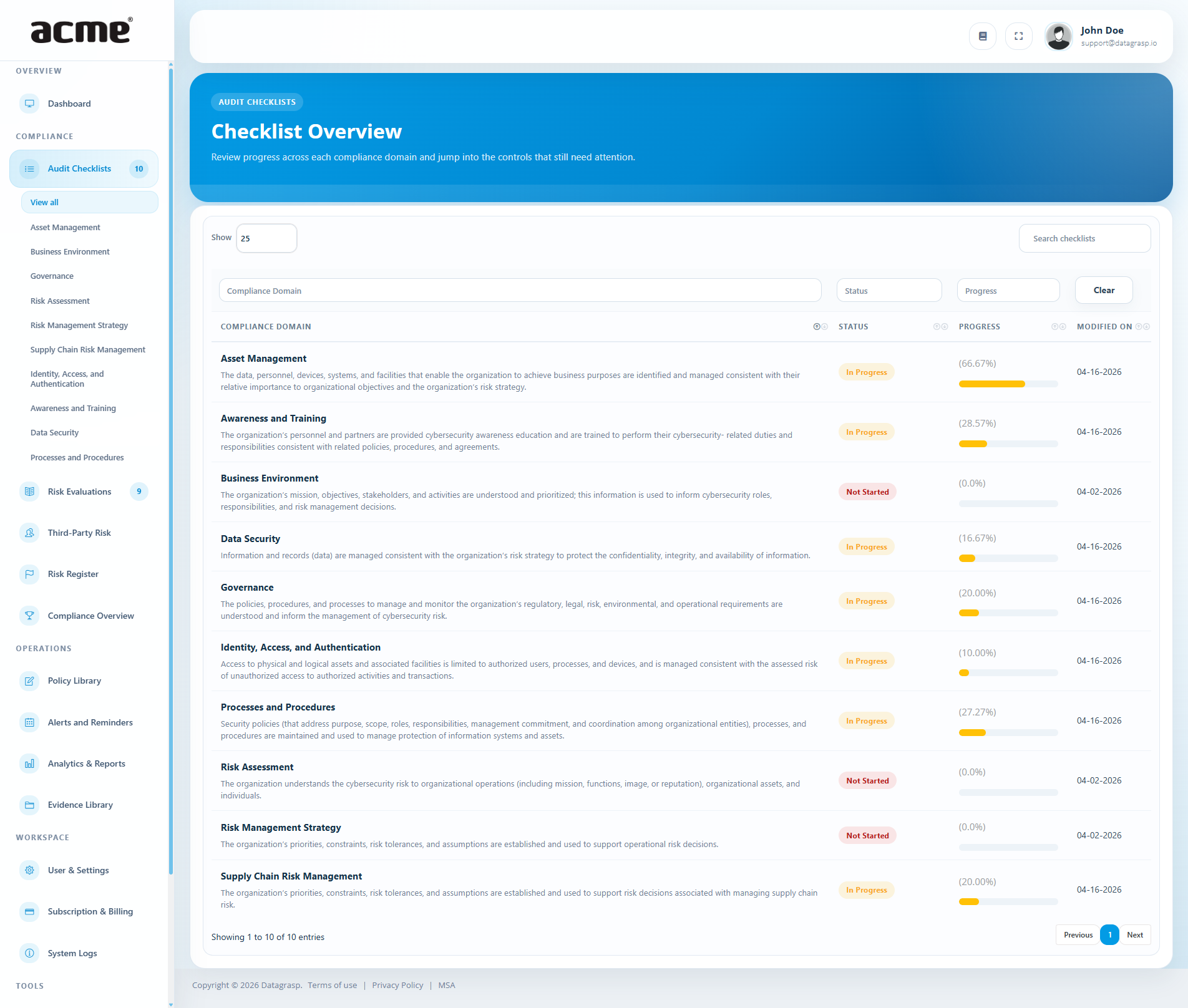
Control Assurance is where much of your compliance work takes place. Datagrasp organizes controls into clear domains so you can work through requirements in a structured way.
Activities
- Review controls by domain
- Update status as work progresses, such as In Progress or Completed
- Add notes to explain your implementation
- Upload supporting evidence directly on controls when needed
As you complete checklist items, your progress is reflected across the platform, including your Dashboard and framework-specific progress views.
Recommended approach
- Work one domain at a time
- Capture notes while information is still fresh
- Attach evidence as soon as it is available to avoid going back later
5. Identify & Evaluate Risks
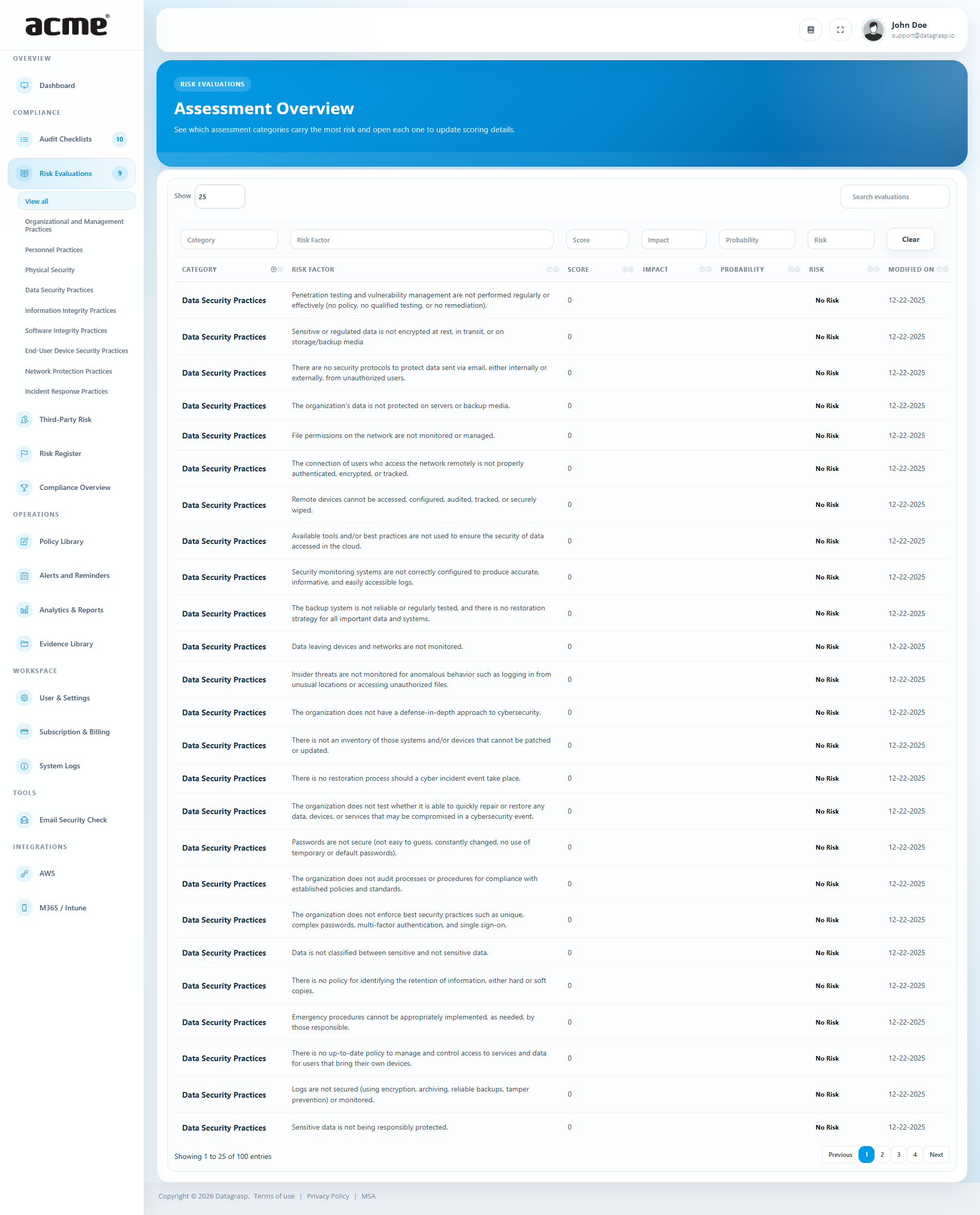
As you work through audits and evidence collection, you may uncover gaps, weaknesses, or issues that should be formally tracked. Datagrasp helps you evaluate these items so you can prioritize what matters most.
Activities
- Flag missing or incomplete controls
- Review risk factors by category
- Assign Probability and Impact ratings
- Generate a Risk Level and Risk Score
Tabletop Exercises help turn general concerns into measurable items that can be discussed, prioritized, and acted on more clearly.
6. Manage Your Risk Register
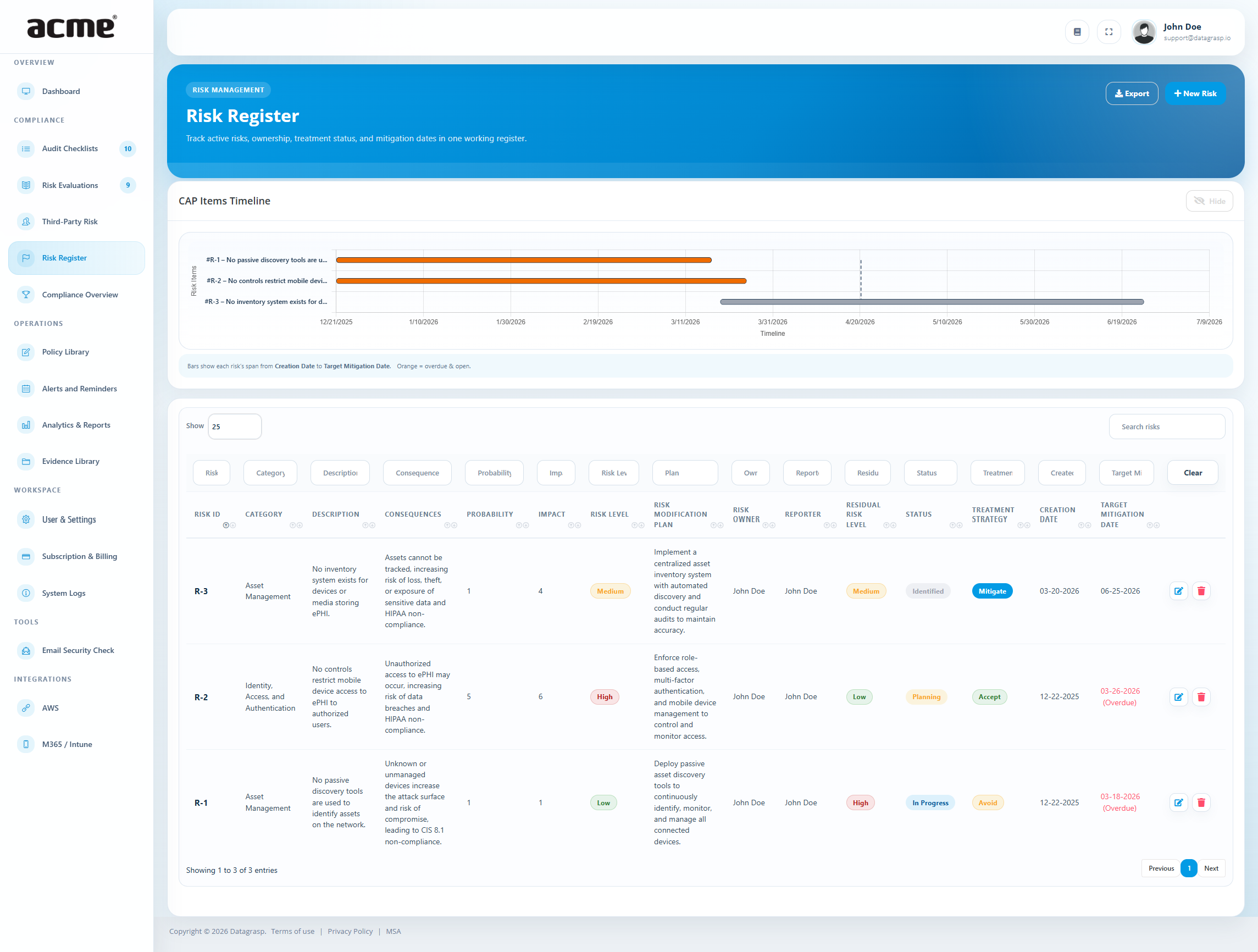
The Risk Register is your central place for tracking risks through resolution. Once risks are identified, they should be documented and monitored so nothing falls through the cracks.
Activities
- Send gaps or evaluated risks to the Risk Register
- Assign a Risk Owner
- Set a treatment strategy and status
- Track mitigation progress over time
Using the Risk Register consistently helps create accountability and gives your team a clear record of what is being addressed, accepted, or monitored.
Typical statuses
- Identified
- Planning
- In Progress
- Mitigated
- Transferred
- Accepted
7. Track Compliance Progress
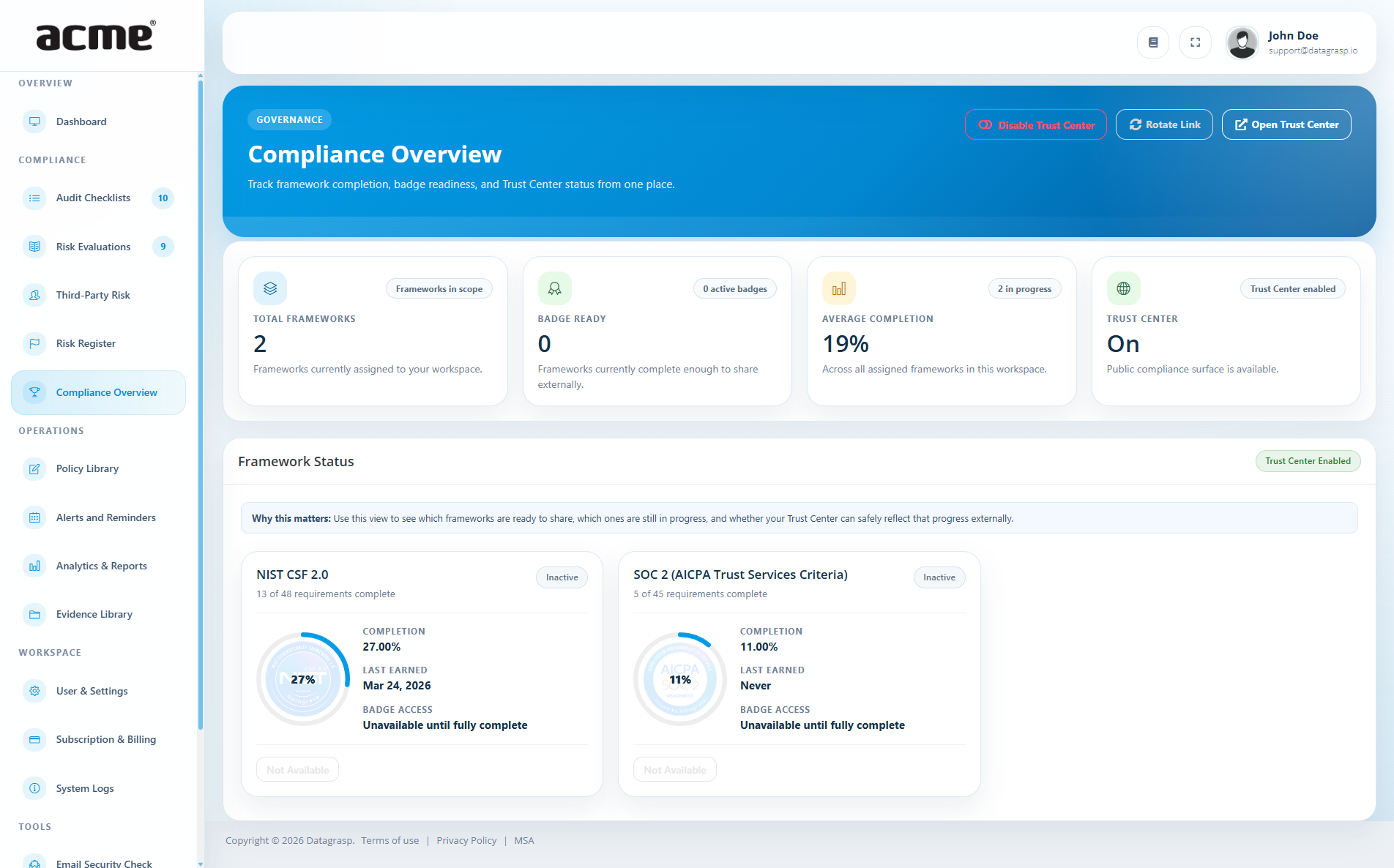
As you complete checklists, upload evidence, and manage risks, Datagrasp helps you monitor your overall progress across frameworks. This gives you a clear picture of where you stand and what still needs attention.
Activities
- Review progress by framework
- Identify remaining gaps and pending work
- Monitor trends and completion over time
- Enable the Trust Portal to grant clients, partners, or stakeholders visibility into your compliance progress
The Trust Portal can help you communicate transparency and readiness more easily by sharing an up-to-date view of your compliance program with approved external audiences.
8. Generate Reports
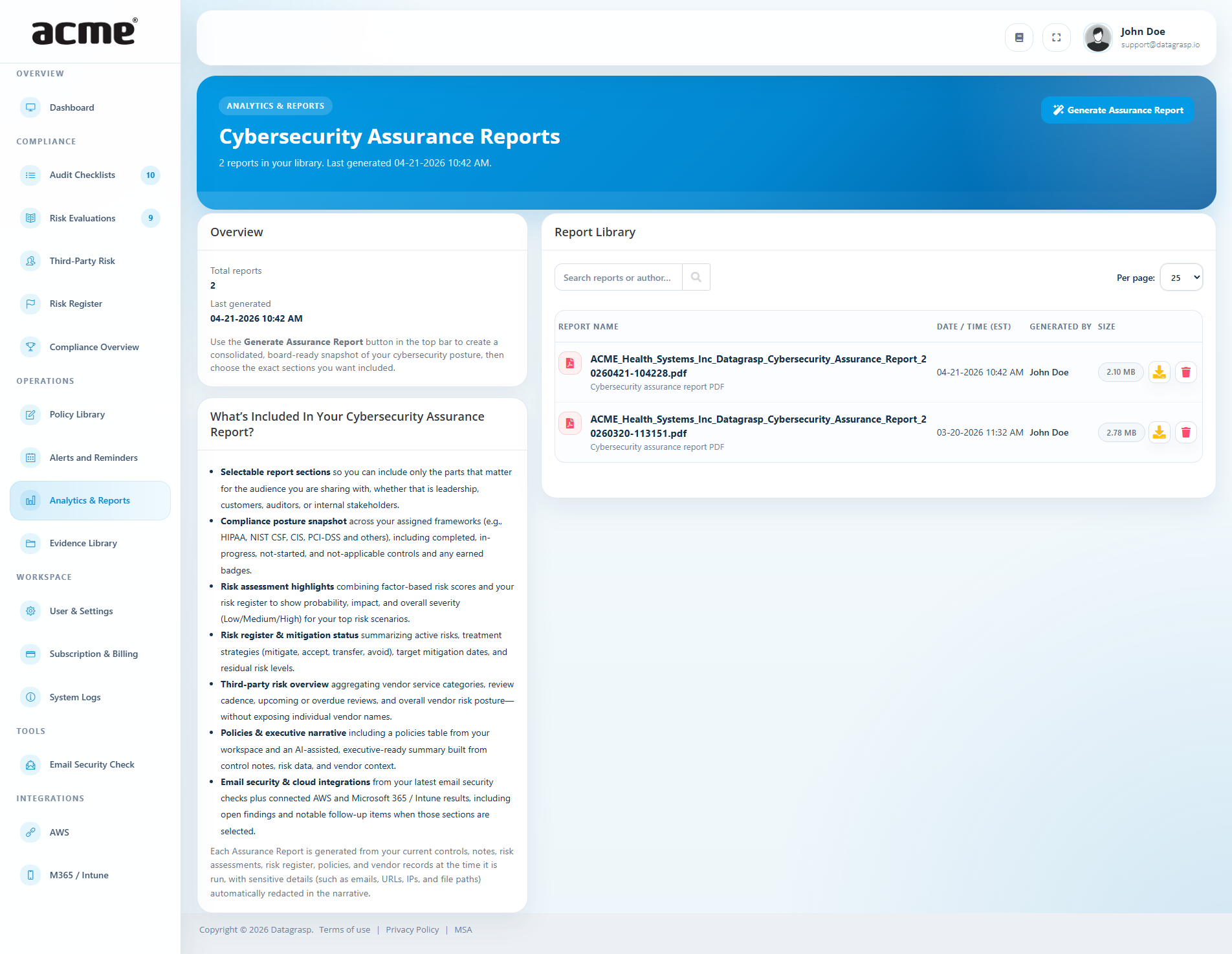
Once you have progress recorded in Datagrasp, you can generate reports that summarize your compliance posture and supporting activity.
Activities
- Generate the Cybersecurity Assurance Report
- Download and share reports with leadership, auditors, clients, or partners
Reports are especially useful when responding to due diligence requests, preparing for audits, or providing internal status updates.
What’s next
Completing the Quick Start Guide is just the beginning. Compliance is an ongoing process, and Datagrasp is designed to support you over time as your program matures.
After finishing these core steps, many organizations continue by:
- Reviewing risks on a regular schedule
- Refreshing vendor documentation and evidence
- Updating policies as business practices change
- Using reports and the Trust Portal to communicate progress externally