
Email Security Check
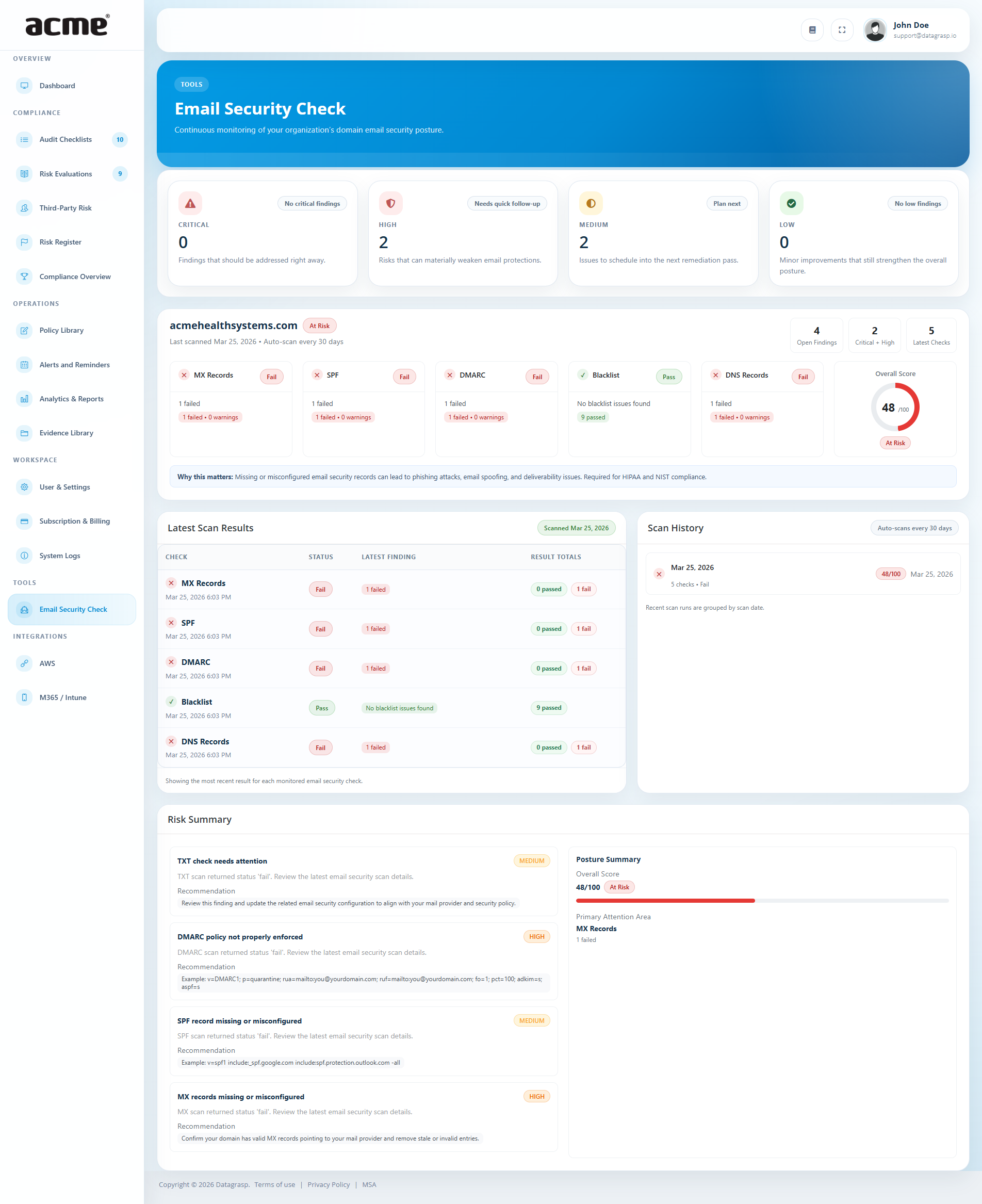
Email Security Check provides continuous monitoring of your organization's domain email security posture. It helps identify weaknesses in mail configuration that can increase the risk of spoofing, phishing, and deliverability issues.
What it checks
- MX record presence and validity
- SPF configuration
- DMARC configuration and policy strength
- TXT record health related to email security
- Blacklist or reputation-related findings
- Open tracked findings by severity
What users see
- The monitored domain
- Latest scan results across MX, SPF, DMARC, blacklist, and TXT checks
- Open findings grouped by severity
- Recommendations for fixing misconfigurations
- Scan history to review changes over time
- A summarized risk posture for the domain
Missing or misconfigured email security records can make it easier for attackers to spoof your domain, impersonate employees, and bypass trust checks. Strong email authentication also supports common compliance expectations under frameworks such as HIPAA and NIST.
Typical follow-up actions
- Review failing or warning checks first
- Correct SPF and DMARC issues
- Validate MX configuration with the mail provider
- Investigate blacklist or reputation concerns
- Track remediation progress over time
Risk Register behavior: If actionable gaps exist, the tool can send a summary into the Risk Register under Identity and Access Management.
Credential Exposure Monitoring
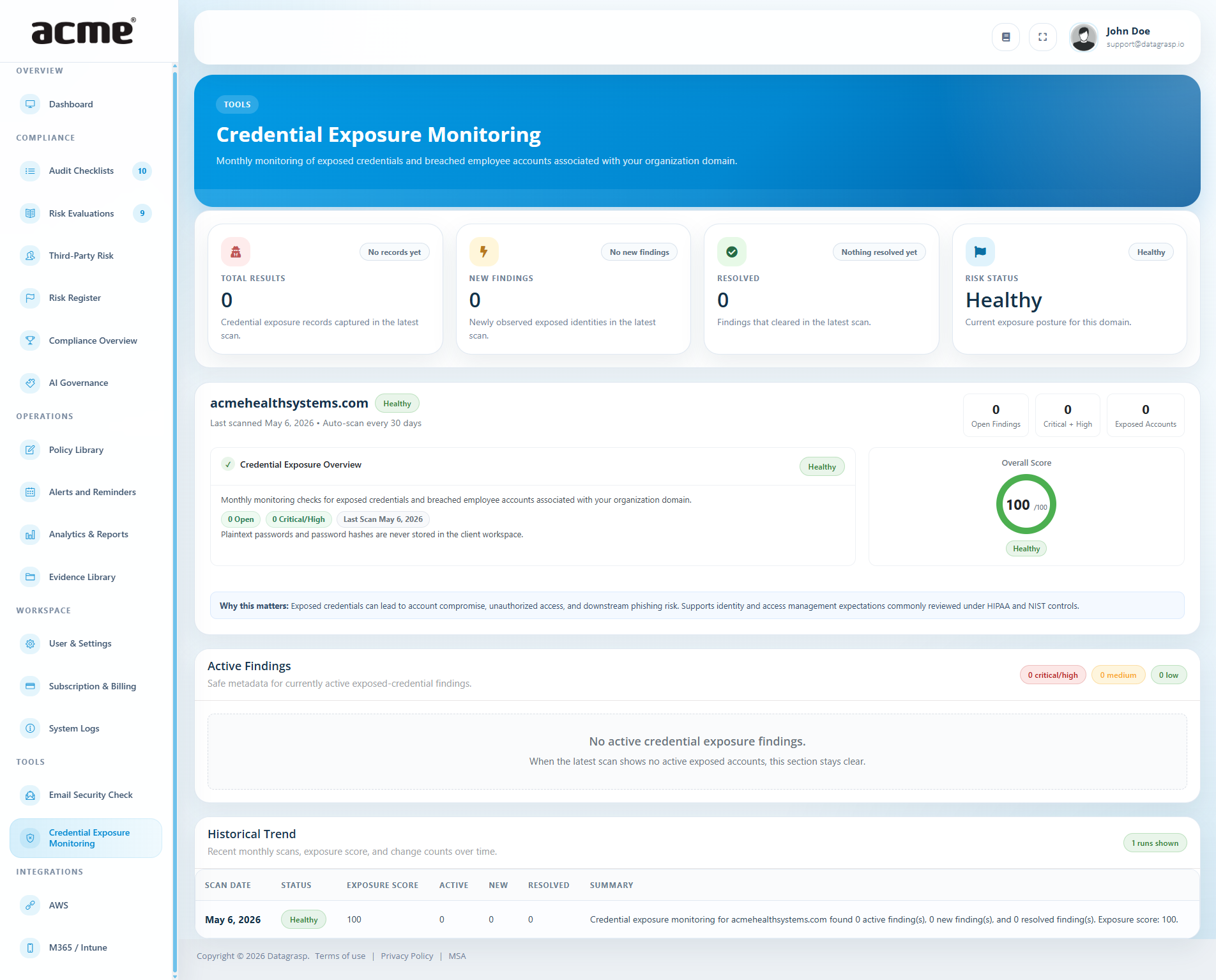
Credential Exposure Monitoring provides monthly monitoring of exposed credentials and breached employee accounts associated with your organization domain. It helps identify identities that may have appeared in breach data and should be reviewed for account compromise risk.
What it checks
- Exposed employee emails or usernames linked to the organization domain
- Whether findings are newly observed or previously known
- Whether exposure includes password-related indicators
- Whether related personal data indicators are present, such as name, phone, or address
- Exposure Posture Score (higher means healthier posture)
What users see
- Active findings, new findings, and resolved findings
- Safe metadata for exposed identities
- Source database references where available
- First seen and last seen timestamps
- Severity for each exposure
- Badges such as
Password exposed,Hash present,Name data,Phone data, andAddress data - A sanitized evidence snapshot for each finding
Important product behavior: Plaintext passwords and password hashes are not stored in the client workspace. The portal shows sanitized evidence only.
Exposed credentials can lead to account takeover, unauthorized access, password reuse risk, and downstream phishing or business email compromise. This tool helps organizations identify accounts that may need immediate containment.
Typical follow-up actions
- Review affected identities
- Reset passwords for impacted accounts
- Enforce or verify MFA
- Investigate whether the account is still active
- Document remediation for exposed users
Risk Register behavior: If actionable findings exist, the tool can send a summary into the Risk Register under Identity and Access Management.
Record investigation outcomes
Open a finding and select Update Investigation. Choose Mitigated after completing the necessary account actions, and record what was investigated and addressed in the notes. Choose Open / Reopened when more work is needed.
Use the investigation filter to find open or reviewed findings. Investigation history records the reviewer, time, status, and notes. Auditors can view investigations but cannot change them.
Investigation and detection are separate: recording an outcome does not erase scan evidence or mean the scanner has stopped reporting the finding. Scan status and posture scores remain distinct from the investigation status. Any linked Risk Register entry stays unchanged; manage its follow-up separately.
Domain Impersonation Monitoring
Domain Impersonation Monitoring provides monthly monitoring of suspicious lookalike domains associated with your organization domain. It is designed to surface registered domain variants that could be used for phishing, brand misuse, or deceptive communications.
What it checks
- Registered lookalike or typosquatted domains
- Whether suspicious domains have mail infrastructure enabled
- Whether suspicious domains have active web, DNS, or nameserver indicators
- Newly observed impersonation findings
- Impersonation Posture Score (higher means healthier posture)
What users see
- Active findings and newly observed domains
- Counts of mail-capable suspicious domains
- Severity for each finding
- Details such as impersonating domain, pattern, classification, first seen, last seen, and page title
- Technical flags such as
MX present,Web active,DNS active, andNS present - Monthly scan history and posture changes over time
Lookalike domains can be used for phishing campaigns, vendor fraud, business email compromise, and brand impersonation. Mail-enabled suspicious domains usually deserve the fastest response because they may be positioned to send deceptive email.
Typical follow-up actions
- Review open lookalike domains by severity
- Prioritize domains with mail capability
- Investigate active web and DNS indicators
- Escalate for blocking, takedown, or monitoring
- Track follow-up through formal risk workflows
Risk Register behavior: If actionable findings exist, the tool can send a summary into the Risk Register under Identity and Access Management.
Record investigation outcomes
Open a finding and select Update Investigation. Choose Investigated when the review is complete but follow-up may remain, or Addressed when the necessary actions are complete. Record the decision and actions in the notes. Choose Open / Reopened if further work is needed.
Use the investigation filter to find open or reviewed findings. Investigation history records the reviewer, time, status, and notes. Auditors can view investigations but cannot change them.
Investigation and detection are separate: recording an outcome does not erase scan evidence or mean the scanner has stopped reporting the finding. Scan status and posture scores remain distinct from the investigation status. Any linked Risk Register entry stays unchanged; manage its follow-up separately.
Privacy Risk Check
Privacy Risk Check reviews the organization's website privacy posture for policies, consent controls, cookies, and tracking technologies. It helps compare what the website tells users against what the site is actually doing.
What it checks
- Privacy policy detection
- Cookie banner or consent messaging detection
- Data subject rights language or similar privacy controls
- Tracking technologies observed on the website
- Cookies detected during the scan
- Cookies that may be unnecessary or deserve review
- Overall privacy posture and risk score
What users see
- Active findings and new findings
- Counts for tracking technologies and unnecessary cookies
- Detection status for major privacy controls
- Finding details including category, affected URL, severity, and recommendation
- Recent scan history and change counts over time
- Guidance focused on policy accuracy, consent choices, and tracker review
Important product behavior: Detection can be limited by anti-bot protections, and privacy-policy review works best on English-language websites.
Privacy exposure can arise when public disclosures, consent controls, and live website tracking behavior do not align. This can create regulatory risk, customer trust issues, and unnecessary data collection concerns.
Typical follow-up actions
- Confirm the privacy policy matches live data collection behavior
- Review consent controls and cookie-banner behavior
- Inventory trackers and cookies found by the scan
- Remove or reconfigure technologies that are not necessary
- Align disclosures with actual website behavior
Risk Register behavior: If actionable findings exist, the tool can send a summary into the Risk Register under Privacy Management.